
Pro Waste program is installed on a network with a mapped drive.
You can create a shortcut on the screen as the image below illustrates.
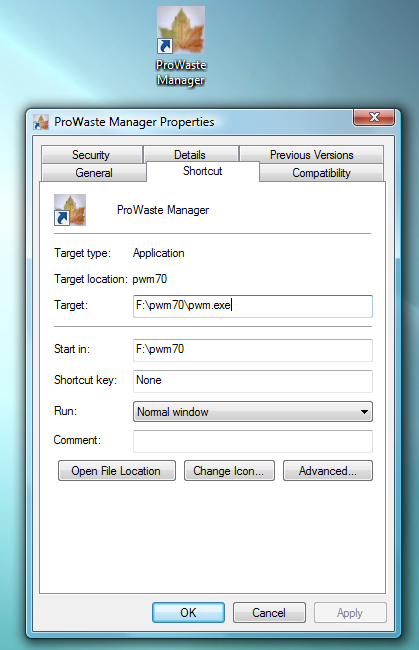
Double click on the ProWaste Manager Icon to start the program. On start up the ProWaste sign in screen will pop up on the screen. Enter the assigned user name and password.

Once logged in you will see the main ProWaste desktop.
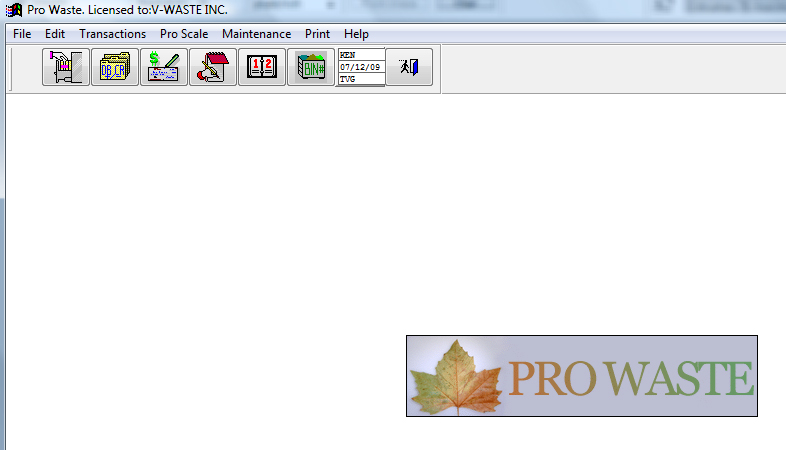
You can access the main component of the ProWaste program from the ProWaste toolbar.

Text Widget

Consetetur sadipscing elitr, sed diam nonumy eirmod tempor invidunt ut labore et dolore magna aliquyam erat, sed diam voluptua.
Stet clita kasd gubergren, no sea takimata sanctus est Lorem ipsum dolor sit amet.